AI public speaking practice: a virtual audience that talks back
Updated: October 1, 2026
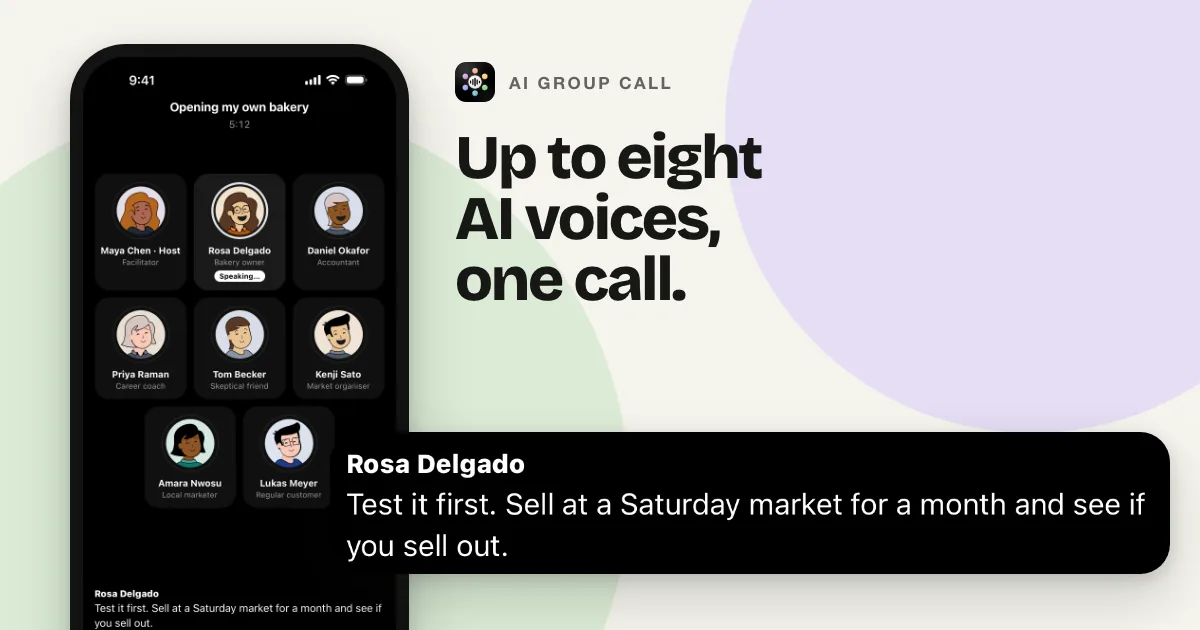
A talk rehearsed alone is only half rehearsed. The hard part of public speaking is not the words; it is the room: someone frowns at minute three, someone interrupts with a question you half-expected, and the Q&A after the ending is where your credibility is actually decided. AI Group Call is AI public speaking practice against that room. You run your talk out loud on a live voice call with a virtual audience of two to eight AI listeners, each with a job and a temperament. They follow what you say, interrupt, and build a Q&A on top of your own answers.
Why rehearsing alone misses the hard part
Speaking to an empty room trains the script. It does not train the moments that decide how a talk lands: the interruption you recover from without losing your place, the question that attacks an assumption you never defended, the confusion on a beginner's face that tells you your analogy failed. Those are conversational skills, and you can only practise them conversationally, out loud, with someone listening who reacts.
A virtual audience of AI listeners gives you that on demand. Each participant hears the whole call before their turn, so a listener can quote your own example back at you three minutes later, and the skeptic can point out that two of your slides disagree. That is virtual audience feedback in the form that actually stings: not a score, but a room.
Setting up the room
Type a goal that describes the talk, the audience and the behaviour you want. The app writes the room around it, with a host who runs the event and, in rooms of four or more, at least one skeptic. For example:
- "Rehearse a ten-minute talk on home fermentation for a local tech meetup. Audience: curious generalists, one skeptic who thinks the safety claims are soft, one beginner who keeps asking basic questions, and an MC who runs Q&A after. Interrupt me with questions during the talk."
- "Practice my wedding best man speech against five guests with different patience levels. Tell me after if any joke landed badly."
- "Conference talk on our migration, followed by hostile Q&A from two competitors in the audience."
Two to eight listeners fits anything from a small-team update to a press Q&A. You can edit any participant's name, role or personality during the call, so if the room is being nicer than the real audience will be, turn one of them hostile and carry on.
A worked example
An excerpt from the fermentation talk, eight minutes in.
Example call, written for this page
You ...and that is why I keep a jar in the fridge door instead of buying probiotic drinks.
Priya, beginner Sorry to stop you, but is that not the same as leaving something to rot?
You Fair question. Controlled bacteria, salt concentration, no mold...
Leo, skeptic You said “no mold” in one slide and showed a jar with foam on top in the next. Which is it?
You The foam is normal. Mold is fuzzy and colored. I should say that out loud instead of showing it.
Priya, beginner For me the slide went too fast. I was still on the salt thing.
Maya, MC We are at time. Let's open the floor. Sam, you had a question about the safety claim.
Sam, competitor-ish You recommend room-temperature ferments for beginners, but every food-safety article I have read says the opposite for novices. Why should they trust a hobbyist?
By the end of a round like this you know exactly where the talk is soft: the mold slide, the pacing of the salt section, and a safety claim you cannot yet defend to a hostile stranger. Those are the three fixes before the real meetup.
Drills worth running
- The full dress rehearsal. Run the whole talk with the room interrupting, then do the Q&A without notes.
- Hostile front row. Turn two listeners into skeptics or reporters and ask them to attack your three main claims.
- The confused beginner. Put one beginner in the room with permission to stop you. Every time they stop you, the section needs work.
- Cold open. Join the call with no prep and give the talk anyway. Real conferences spring surprises; this is the vaccine.
- Same talk, a week later. Open the call in History and tap Join again. The same listeners return with the earlier conversation in front of them, so you can find out whether the fix worked.
- Another language. Calls run in 15 languages, useful when the conference is abroad.
How this differs from a VR speaking simulator
The other well-known way to practise public speaking with AI is a speaking simulator like Ovation: AI avatars in a simulated room, on desktop or in VR, with delivery analytics after every session. As described on their site as of October 2026, it scores things like your transcript, speaking rate and filler words against customizable criteria. That is a real product for a real need, and it is a different trade.
- Metrics versus conversation. A simulator with analytics tells you how you delivered: pace, fillers, pauses. A virtual audience that talks back tells you whether your content survives contact with listeners: interruptions, follow-ups, hostile Q&A. Most talks fail on the second one.
- Hardware. VR simulators are desktop-and-headset products for the immersive version. AI Group Call is a phone app: the practice call fits in the margin of your day.
- The honest limits. AI Group Call does not measure filler words, pacing or eye contact, and it will not show you a row of seats. If you want a delivery scorecard, a simulator is the right category. If you want the Q&A to stop being scary, you want a room that argues.
After the call
Every session is saved in History with a full transcript. Tap once for a summary with key points and action items: in practice terms, that is the list of questions where you hesitated and the claims the room did not accept. Mark the transcript, write better answers, then run the drill again with the same cast. You can share the summary from the app, which works well for a coach or a colleague who offered to listen.
What it cannot tell you
The audience is AI voices. They will not catch that your voice went flat, that you said “um” forty times, or that you spoke too quietly, and no participant knows who is actually in the room at your real event. If a participant states a fact with confidence, check it. What the room is good at is making you finish the talk out loud, survive the interruptions, and walk into the real Q&A having already heard the worst version of the question.
Questions
Do I need a VR headset to practise public speaking with AI?
No. AI Group Call is a phone app on Google Play and the App Store. You practise out loud on a live voice call with a virtual audience of AI listeners. VR speech simulators like Ovation exist and add visual presence; this is the other trade: a phone call you can run anywhere, with a room that actually talks back.
What feedback do I get from the virtual audience?
Two kinds. During the talk: reactions, interruptions and Q&A from listeners with different jobs, including a skeptic, which is live audience feedback rather than a score afterwards. After the talk: every call is saved with a full transcript and a one-tap summary, and you can ask the room to critique the talk before you leave. The app does not measure filler words or pacing; delivery analytics are a different product category.
How many audience members can be in the room?
Between two and eight, six by default. Each one has a role and personality you can edit during the call, so you can put a hostile reporter or a confused beginner in the front row and keep going.
Try it
Three minutes free per new account, no card required. Get it on Google Play or download it on the App Store. Interview panel instead of an audience? Read AI panel interview practice.